




14 Indicators Your CMS Requires an Upgrade
Published: February 01, 2024 | Updated: September 27, 2024
Introduction
A Content Management System (CMS) plays a pivotal role in shaping a brand's identity and reaching its target audience effectively. However, as technology evolves and user expectations rise, it becomes crucial for businesses to stay ahead of the curve by ensuring their CMS is up-to-date and capable of meeting current demands.
The Evolution of CMS: Beyond the Basics
Content Management Systems have come a long way since their inception. Originally designed to facilitate website creation and management, modern CMS platforms have evolved into comprehensive tools that not only handle content but also provide analytics, support e-commerce, and ensure seamless user experiences across various devices.
Early Stages: Foundations of Digital Presence
In the nascent stages of the internet, static HTML pages dominated the digital landscape. Website management was a cumbersome task, demanding intricate knowledge of coding. The advent of CMS in the late 20th century brought about a paradigm shift, empowering users with little technical expertise to manage and update web content autonomously.
The Rise of User-Friendly Interfaces
The first generation of CMS platforms focused on user-friendly interfaces, allowing content creators to interact with websites through graphical interfaces rather than code. These systems marked a significant leap forward in accessibility, enabling a broader audience to participate in the digital conversation.
Multi-functionality Takes Center Stage
As the internet matured, so did the expectations of users. CMS evolved beyond mere content creation and editing, incorporating functionalities such as document management, workflow automation, and collaboration tools. This multifunctional approach addressed the diverse needs of businesses and content creators, establishing CMS as an integral component of digital ecosystems.
Responsive Design and the Mobile Revolution
With the proliferation of smartphones and tablets, the importance of responsive design became paramount. CMS platforms adapted to this shift, emphasizing mobile responsiveness to ensure seamless user experiences across various devices. This evolution reflected the growing significance of mobile interactions in the digital landscape.
Integration of Advanced Features
In response to the ever-expanding demands of digital marketing and e-commerce, modern CMS platforms integrated advanced features such as e-commerce capabilities, analytics tools, and social media integrations. This strategic evolution allowed businesses to manage not only content but also the entire spectrum of their online presence through a single, cohesive platform.
The Era of Personalization and Dynamic Content
As user expectations soared, CMS platforms embraced personalization, introducing features that allowed content creators to tailor experiences based on user behavior, preferences, and demographics. Dynamic content delivery became a cornerstone, offering a more engaging and relevant journey for website visitors.
Security as a Paramount Concern
As the digital landscape became more complex, security emerged as a paramount concern. Modern CMS platforms shifted their focus to robust security features, regular updates, and proactive measures to counter cyber threats. This evolution aimed not only to protect digital assets but also to ensure compliance with evolving data protection regulations.
The Advent of Cloud-Based Solutions
In recent years, the advent of cloud computing has reshaped the CMS landscape. Cloud-based solutions offer scalability, flexibility, and improved collaboration capabilities. This shift reflects the industry's commitment to providing CMS solutions that align with the dynamic and often unpredictable nature of digital business environments.
Looking Forward: CMS in the Age of Emerging Technologies
The evolution of CMS is an ongoing narrative, with the next chapters likely to be written in collaboration with emerging technologies. Artificial intelligence, machine learning, and immersive experiences are poised to reshape the way content is created, managed, and delivered. As CMS continues to adapt to these technological advancements, it remains a crucial driver of innovation in the ever-evolving digital landscape.
14 Indicators for Upgrading your CMS
As the digital landscape continues to transform, the need for an agile and adaptive CMS becomes increasingly apparent. Here are the signs that your current CMS might be holding back your digital strategy:
Content Management Process and Workflows
Infrequent Content Updates:
Maintaining content freshness and relevance is critical for a website and cannot be overlooked. However, it’s a common scenario to invest significant effort in creating and publishing content, only to neglect it for an extended period or, in some cases, altogether. With a modern CMS, you have the capability to establish workflow processes that send notifications, prompting you to review content at appropriate intervals, thereby ensuring its ongoing relevance and usefulness.
Overreliance on PDFs and Documents:
A significant portion of your content may exist as downloadable documents rather than web pages due to the perceived simplicity of document creation. A modern CMS offers prebuilt templates and a page builder tool, enabling the visual design of web pages without necessitating coding expertise.
Inefficiency in Content Retrieval:
Outdated or legacy CMS solutions often lack robust search capabilities, accompanied by insufficient metadata and search features. A modern CMS allows for structured content organization using topics and metadata, enhancing the ease with which customers can search for and locate pertinent information. Advanced search functionalities further facilitate content exploration, incorporating features like faceted or guided search and weighted ranking.
Content Quality Issues:
Broken links, misspellings, and accessibility issues are common issues that may plague a website. However, too much broken links, poor content quality and accessibility may indicate the need for CMS governance revamp. You may need to upgrade CMS with versatile monitoring and maintenance tools that helps you identify and address issues promptly before it’s too late.
Outdated User Interface and Experience:
Another key indicator that your CMS needs an upgrade is an outdated user interface (UI) and a less-than-optimal user experience (UX). An intuitive interface is essential to keep your content creators engaged and productive.
Modern CMS platforms offer sleek, user-friendly interfaces that simplify content creation, editing, and publishing. They often come with drag-and-drop functionalities, real-time previews, and seamless collaboration features. If your current CMS lacks these, it may be time for an upgrade to enhance efficiency and keep your team motivated.
Limited Support for Multi-channel Publishing:
In today's multi-channel landscape, businesses need to publish content across various platforms and devices. If your CMS lacks support for multi-channel publishing, you may find it challenging to maintain a consistent brand image and deliver a seamless experience across different touchpoints.
Upgrading to a modern CMS enables businesses to publish content across websites, mobile apps, social media, and other digital channels effortlessly. This ensures a cohesive brand presence and allows you to reach your audience wherever they are, enhancing your overall digital marketing strategy.
Use of Multiple CMS Applications:
The utilization of multiple CMS applications for distinct websites can introduce complexities. The proliferation of CMS platforms can result in inconsistent experiences and hinder seamless content sharing. According to a survey done by Storyblok, almost 60% of organizations used more than 1 CMS. However, using multiple CMS applications is a sub-optimal approach that signifies the need to upgrade to a single solution.
Website Experience
Stagnant Website Design:
The website's appearance remains static. This is often attributed to the limitations of the CMS in facilitating the creation of contemporary designs. . If a CMS hinders efficient design updates, organizations may delay these crucial endeavors until budget allocations or extended timelines align. Upgrading to a modern CMS streamlines the design update process, encouraging more frequent and timely enhancements.
Slow Loading Times:
The website exhibits sluggish performance. Slow loading times can contribute to diminished traffic as visitors seek expedient experiences elsewhere. Performance concerns may be linked to CMS functionality, publication processes, backend connectivity, and load distribution.
Many traditional CMS setups, being tightly coupled, exacerbate performance challenges by hosting both administration backend and front-end on the same server. By upgrading your CMS, you can significantly improve your website's loading times, providing a better experience for your audience and positively influencing search engine rankings.
Poor Mobile Responsiveness:
If your website is not optimized for various screen sizes, you risk losing a significant portion of your audience. An outdated CMS may not support responsive design, leading to a poor user experience on mobile devices.
Operational Challenges:
Discrepancies in versions and content repositories throughout content development, staging, testing, and delivery pose substantial operational challenges. A solution ensuring synchronization within your environment becomes imperative, reducing the time required to implement changes and update website content.
Difficulty in Scaling:
As your business grows, so does the demand for a scalable digital infrastructure. An outdated CMS may struggle to handle increased traffic, content volume, or user interactions, leading to performance issues and downtime. If your current CMS is hindering your ability to scale seamlessly, it's a clear sign that an upgrade is in order.
Lack of Content Personalization:
Personalized content is key to engaging today's audience. If your current CMS does not support content personalization based on user behavior, preferences, or demographics, you may be missing out on opportunities to connect with your audience on a deeper level.
Security Concerns:
In an era of increasing cyber threats, the security of your digital assets is paramount. If your CMS is no longer receiving regular security updates or if it lacks essential security features, your website becomes vulnerable to attacks. Outdated CMS versions are often targeted by hackers seeking to exploit known vulnerabilities.
Categorizing Indicators and Key Performance Indicators (KPIs) for CMS Upgrade
Identifying these indicators and monitoring relevant KPIs enables organizations to assess the effectiveness of their current CMS and make informed decisions about upgrading for enhanced digital strategy and performance.
| Category | Indicator | Challenge | KPI |
|---|---|---|---|
| Content Management Process | Infrequent Content Updates | Neglecting content updates for extended periods | Bounce Rates, Time-on-Page |
| Overreliance on PDFs and Documents | Significant content in downloadable formats | Percentage of Content as PDFs, Ease of Web Page Creation | |
| Inefficiency in Content Retrieval | Outdated CMS with weak search capabilities | Search Metrics, User Navigation Patterns | |
| Flexibility and Customization | Difficulty integrating new tools or technologies and lack of customization | Time-to-Market for New Features, Percentage of Customization Requests Fulfilled | |
| Content Quality Issues | Broken links, misspellings, and accessibility issues. | Broken Links, Spelling Errors and Accessibility can impact web presence and SEO | No of Broken Links, Spelling Errors, Accessibility Compliance |
| Website Experience | Outdated User Interface and Experience | Legacy UI and Sub-optimal UX | User Feedback on Design, Time Since Last Design Update |
| Limited Support for Multi-channel Publishing | Inability to publish across various platforms | Consistency in Branding Metrics, Time Spent on Cross-Channel Publishing | |
| Use of Multiple CMS Applications | Complexity due to multiple CMS platforms | Consistent User Experiences, Content Sharing Efficiency | |
| Website Performance | Stagnant Website Design | Static website appearance due to CMS limitations | User Engagement Metrics, Time Since Last Design Update |
| Slow Loading Times | Website exhibits sluggish performance | Page Load Speed, Server Uptime | |
| Poor Mobile Responsiveness | Lack of optimization for various screen sizes | Mobile Bounce Rates, Cross-Device Engagement | |
| Operational Challenges and Scalability | Operational Challenges | Discrepancies in versions and content repositories | Time for Implementing Changes, Content Update Efficiency |
| Difficulty in Scaling | Inability of the CMS to handle growth and content volume | Website Downtime, Performance During Traffic Spikes | |
| Content Personalization and Security | Lack of Content Personalization | Inability to personalize content based on user behavior. | Low Engagement Rates, Conversion Rates by Segment |
| Security Concerns | Outdated CMS lacking security features | Security Audit Results, Frequency of Security Updates |
Conclusion
Your CMS is the backbone of your digital strategy, and recognizing the signs that it needs an upgrade is the first step toward future-proofing your brand. The signs indicating the need for an upgrade are not mere technical nuances; they are strategic cues urging businesses to reassess, adapt, and propel their digital strategies forward.
The benefits of an upgraded CMS extend beyond improved functionality; they include enhanced security, better user experiences, and the ability to seamlessly scale your digital initiatives. Investing in a modern CMS is not merely a response to immediate needs; it is a strategic commitment to the future of your digital presence.



Global Office Locations

2570 N. First Street, Suite 200,
San Jose, CA 95131

Office No. 26, 10/F, Beverley Commercial Centre,
87-105 Chatham Road South, Tsim Sha Tsui, Kowloon,
Hong Kong

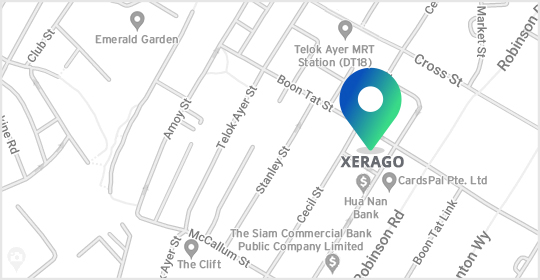
The Octagon Building, #11-07, 105, Cecil Street,
Singapore 069 534
#901, 9th Floor , Ellora Fiesta.
Plot No - 8 , Sector - 11 , Sanpada.
Opp. Juinagar Rly Station.
Navi Mumbai – 400 705

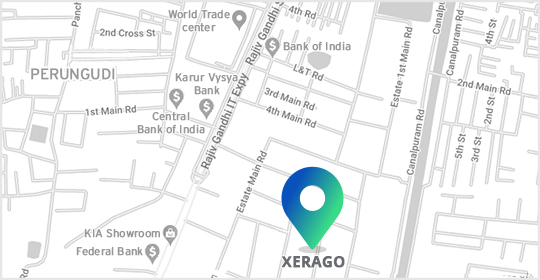
Xerago Towers, Plot 80 & 93,
Industrial Estate, Perungudi,
Chennai, Tamil Nadu - 600096




(Coming Soon)
2570 N. First Street, Suite 200,
San Jose, CA 95131
Office No. 26, 10/F, Beverley Commercial Centre,
87-105 Chatham Road South,
Tsim Sha Tsui, Kowloon,
Hong Kong
The Octagon Building, #11-07, 105, Cecil Street,
Singapore 069 534
#901, 9th Floor , Ellora Fiesta.
Plot No - 8 , Sector - 11 , Sanpada.
Opp. Juinagar Rly Station.
Navi Mumbai – 400 705
Xerago Towers, Plot 80 & 93,
Industrial Estate, Perungudi,
Chennai, Tamil Nadu - 600096
(Coming Soon)