




Poor Website UX and Digital Health: Diagnosis and Remedies
Published: October 20, 2023 | Updated: July 08, 2024
In the context of user experience, the digital health of a website refers to the overall well-being and effectiveness of a website in providing a positive experience for its users. Optimization of websites is decisive for a digitally healthy and engaging online platform, where users are most satisfied with their experience of gleaning a wealth of information and services proffered.
But, how would you know if the digital health of your website is not contributing to a fulfilled and satisfied user experience?
Symptoms of Poor Digital Health
Poor website health negatively affects user experience in several significant ways. The diagnosis is first made when the following measurable symptoms become apparent.
- Higher Bounce Rates: Users who have difficulty navigating or finding what they're looking for are likely to leave your site quickly. This results in higher bounce rates, which can lower search engine rankings.
- Lower Conversion Rates: If users find it challenging to complete actions you desire–the CTA-such as making a purchase, filling in a form, or registering for a newsletter, conversion rates suffer. This directly affects the website's ability to achieve its goals.
- Increased Churn Rate: With subscription-based services or online communities, poor user experience leads to a higher churn rate, as users are more likely to cancel memberships or subscriptions.
- Reducing SEO Ranking: Search engines like Google consider the quality of user experience when determining search rankings. A poor user experience, as indicated by high bounce rates and low time-on-site metrics, will lead to lower search rankings for your website.
Impact of Poor Digital Health on Users
The malady of poor website health, if left untreated, will cause the following ailments, which you will find hard and time-consuming to recover from.
- Decreased User Engagement: Users are less likely to engage with a website that provides a frustrating or confusing experience. This can lead to lower levels of interaction, such as fewer clicks, comments, shares, and social interactions.
- Reduced Trust and Credibility: If your website appears outdated or is difficult to use, users form a poor impression of trustworthiness or credibility. This loss of confidence in the brand or organization behind the site further reduces user engagement.
- Decreased Customer Satisfaction and Loyalty: A frustrating user experience leads to dissatisfied users who are less likely to return to your site. Negative word-of-mouth might amplify this loss of customer loyalty.
- Damaged Reputation: Negative experiences lead to poor online reviews, ratings and comments. This harms your website or brand reputation, something that is challenging to recover from.
Costs of Poor Digital Health
Businesses whose websites are in poor digital health will start incurring these costs – both actual and through lost opportunities.
- Higher Customer Support Costs: Poor user experience will increase the number of inquiries to your customer support as users seek help to navigate or resolve issues on the site. This strains resources and increases operational costs.
- Missed Revenue Opportunities: If users abandon the site due to a poor experience, your website misses out on generating potential sales, leads, or other revenue-generating activities.
- Limited Growth and Expansion: With a poor website user experience, you will struggle to attract and retain new users. This impedes plans to expand your user base or reach new markets.
A poor user experience has pervasive downsides for a website's performance. It affects the bounce rate, conversion rate, engagement, search rankings, and customer satisfaction. And ultimately, the very success of your website or business. It's key for website owners to prioritize user experience to mitigate these potential negative impacts.
Optimizing Website UI and UX Components for Enhanced Online Visibility
A well-designed digitally healthy website is an important element of your multi-dimensional digital presence. The way for your website to truly stand out in the crowded digital landscape is to focus on optimizing its User Interface (UI) and User Experience (UX) components.
These are some of the key components you should optimize to improve online visibility.
Responsive Design
For users who access websites from various devices, effecting a responsive design is paramount. A responsive, visually appealing website adapts effortlessly to different screen sizes, providing a consistent and enjoyable experience across browsers and devices- desktops, laptops, tablets, and mobile phones.
This improves user satisfaction and boosts search engine rankings as well since search algorithms favor mobile-friendly sites.
Intuitive Navigation
Navigating your website should be an easy intuitive process. Clear and concise menus, logical page hierarchies, and easily accessible search functionalities all contribute to a positive UX. Intuitive navigation ensures that visitors can find the information they seek quickly, reducing bounce rates and encouraging longer on-site engagement.
Page Loading Speed
In a fast-paced digital environment, users expect instant gratification. Slow-loading pages can lead to frustration and high bounce rates, impacting visibility. Optimize images, minimize HTTP requests, and employ content delivery networks (CDNs). These and other efficient coding techniques will enhance page loading speed, which will be favored both by your users and search engines.
Compelling Visuals
When it comes to conveying your brand's message, visual elements engage user attention like nothing else. High-quality images, engaging videos, and well-designed graphics can significantly enhance the visual appeal of your website. However, it's important that aesthetics and the communicating brevity of visuals, do not comprise site performance and page load speed.
Readable Typography
Choosing the right typography is crucial for both readability and brand consistency. Make your fonts be legible across various devices and screen sizes. Additionally, optimize font sizes, line spacing, and contrast ratios for a comfortable reading experience.
Content Relevance and Quality
Content is the heart of any website. Carefully curate content to be informative, engaging, and relevant to the user's query or intent. A well-crafted repository of information, replete with precision and accuracy, imbued with the latest insights, verifiable data, and authoritative sources is the essence of a digitally healthy platform.
Regular curation and updates ensure users are greeted with the most current and pertinent information. High-quality content not only keeps visitors engaged but also establishes authority with search engines. Incorporating relevant keywords naturally within the content can further improve visibility through search engine optimization (SEO) efforts.
Calls-to-Action (CTAs)
Judiciously placed CTAs guide users towards desired actions, such as making a purchase, signing up for a newsletter, or contacting the business. Designed your CTAs to be clear, actionable, and strategically positioned on the page. They play the ultimate role in converting visitors into leads or customers, thereby contributing to improved online visibility.
Social Proof and Trust Signals
Building trust with visitors is essential for online visibility. Include elements like customer testimonials, user reviews, trust badges, and social media integrations to instill confidence in your brand. Other than enhancing user experience, trust signals also contribute to higher conversion rates and improved search engine rankings.
Accessibility and Inclusivity
Creating an inclusive online experience is not only ethically sound but also vital for reaching a wider audience. Your website should be accessible to all users, irrespective of physical or cognitive abilities. Screen reader compatibility, keyboard navigation, alternative text (alt text) for images, and color contrast considerations are testimony to your commitment to inclusivity. You could task the web design team to use WCAG (Web Content Accessibility Guidelines) standards to guide the effort.
In Conclusion
Optimizing website UI and UX components is a multifaceted endeavor that requires a deep understanding of user behavior and search engine algorithms. By focusing on responsive design, intuitive navigation, page loading speed, compelling visuals, readable typography, high-quality content, effective CTAs, trust signals, and accessibility, businesses can significantly enhance their online visibility. A well-optimized website not only attracts and retains users but also ranks higher in search engine results, ultimately leading to increased brand exposure and success in the digital landscape.



Global Office Locations

2570 N. First Street, Suite 200,
San Jose, CA 95131

Office No. 26, 10/F, Beverley Commercial Centre,
87-105 Chatham Road South, Tsim Sha Tsui, Kowloon,
Hong Kong

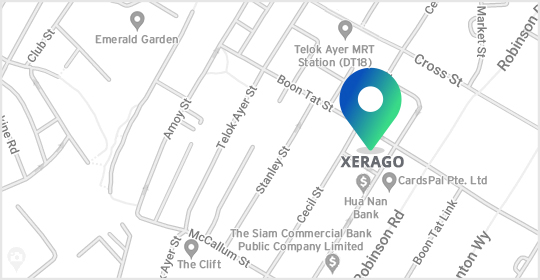
The Octagon Building, #11-07, 105, Cecil Street,
Singapore 069 534
#901, 9th Floor , Ellora Fiesta.
Plot No - 8 , Sector - 11 , Sanpada.
Opp. Juinagar Rly Station.
Navi Mumbai – 400 705

Xerago Towers, Plot 80 & 93,
Industrial Estate, Perungudi,
Chennai, Tamil Nadu - 600096





(Coming Soon)
2570 N. First Street, Suite 200,
San Jose, CA 95131
Office No. 26, 10/F, Beverley Commercial Centre,
87-105 Chatham Road South,
Tsim Sha Tsui, Kowloon,
Hong Kong
The Octagon Building, #11-07, 105, Cecil Street,
Singapore 069 534
#901, 9th Floor , Ellora Fiesta.
Plot No - 8 , Sector - 11 , Sanpada.
Opp. Juinagar Rly Station.
Navi Mumbai – 400 705
Xerago Towers, Plot 80 & 93,
Industrial Estate, Perungudi,
Chennai, Tamil Nadu - 600096
(Coming Soon)